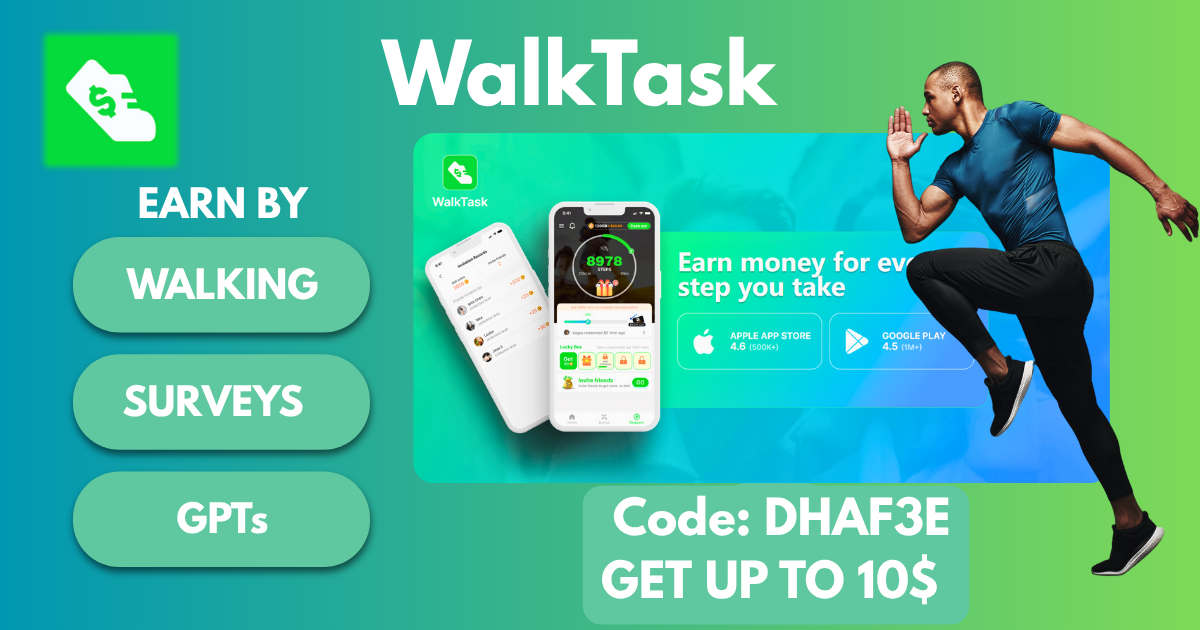
WalkTask Review: WalkTask is a “get paid to walk” app that claims you can earn rewards by tracking your steps and completing simple in-app tasks. In this post, I’ll explain how WalkTask works, what you can realistically expect to earn, payout options and minimum cashout, privacy and tracking accuracy, plus the biggest pros and cons—so you can decide if it’s actually worth installing.
About WalkTask
Looking for an easy way to earn money while staying active? 💰
WalkTask is a mobile app that rewards you for everyday activities like walking, watching videos, playing games, and even taking surveys. I’ve personally tested it — here’s my honest experience, including payment proofs, pros and cons, and how you can get started today.
WalkTask is a “get paid to walk” mobile app that rewards you for tracking your daily steps and, in many cases, completing in-app tasks (such as watching ads, checking in daily, completing challenges, or interacting with offer-style activities). In this WalkTask Review, the main thing to understand is that WalkTask typically combines step-based rewards with task-based earning, and you redeem your points for cashouts or gift-card-style rewards once you reach the minimum threshold.
How WalkTask works (simple explanation)
Most step-reward apps follow a similar model:
- You install WalkTask on your phone (Android/iOS availability can vary).
- You allow activity permissions so it can read your step data (from your phone’s sensors or health app).
- You walk as normal, and the app converts steps into points/coins.
- You earn extra points from tasks (for example: daily check-ins, ads, limited-time missions, or partner offers—depending on what WalkTask shows in your region).
- You redeem points for rewards once you hit the minimum cashout amount.
What you can earn points from (common earning methods)
Depending on the version of WalkTask available to you, the app may include:
- Steps / walking: Your daily movement is the core earning method.
- Daily bonuses or streaks: Logging in and claiming rewards can boost totals.
- Challenges / missions: Step goals (e.g., hit a target today/this week) that award extra points.
- Ads: Some apps increase earnings by offering “watch an ad to claim bonus points.”
- Offers / tasks: Actions like installing an app, signing up for a trial, or completing a partner activity for a larger one-time reward.
In practice, walking alone usually earns slowly, and the “tasks/bonus” side is often what speeds up progress (though it takes more time and can be repetitive).
How WalkTask makes money (why it can pay users)
WalkTask generally earns revenue through:
- Advertising (display ads or rewarded video ads)
- Partner offers (affiliate/offerwall-style tasks)
- Potential data-driven insights (depends on the app’s privacy policy and what it collects)
A portion of that revenue is shared back with users as rewards. This is why many walking apps heavily encourage ads, tasks, and daily engagement.
What WalkTask is (and isn’t)
- It is: a rewards app that can motivate walking and provide small rewards over time.
- It isn’t: a reliable income source or a high-paying “walking job.” Earnings are usually modest.
How WalkTask Works
Earn by Walking
-
Earn 1 coin for every 100 steps.
-
Daily limit: 10,000 steps = 100 coins.
-
Perfect if you already track your fitness!
🎥 Watch Videos
-
Earn 1–5 coins per video.
-
Watch up to 10 videos daily for bonus coins.
-
Great for passive earners who like short content.
🎮 Other Activities
-
Complete surveys, play games, or join contests to increase your earnings even more.
Earning Potential & Referral Program
WalkTask isn’t a full-time income app, but it’s great for side cash:
-
Active users can earn $5–$20 monthly depending on engagement.
-
Referral program: Earn 20–360 coins when someone signs up using your code and additional 10–30 coins based on their activity.
💡 Pro tip: Share your code with friends, family, or on social media to maximize earnings.
Rewards & Payouts (Gift Cards/Cash), Minimum Cashout, and Payment Speed (WalkTask Review)
In this WalkTask Review, rewards and payouts are the most important part—because a walking app is only “worth it” if you can actually redeem your points without unnecessary hoops. WalkTask typically lets you exchange points/coins for cash-style payouts and/or gift cards, but the exact options (and the minimum cashout) can vary by country and by what version of the app you’re using.
What rewards does WalkTask offer?
WalkTask reward options usually fall into two categories:
- Cash-style rewards: Often through a third-party payment method (commonly PayPal on similar apps, but availability varies).
- Gift cards / vouchers: Brands and denominations depend on your region.
The app will show your current reward catalog in the Rewards / Redeem / Cashout section.
Tip: Before you spend time earning points, open the rewards page first. Make sure the reward you actually want is available in your country.
Minimum cashout (how many points you need)
WalkTask has a minimum withdrawal threshold, meaning you must reach a certain number of points (or a certain dollar amount equivalent) before you can redeem.
Important details to look for inside the app:
- The minimum may differ depending on cash vs gift cards
- Some rewards may have multiple denominations (lower vs higher thresholds)
- The minimum can change over time, so always confirm it in-app
If the minimum is high, step-only earning can feel slow—so users often rely on bonuses, challenges, and tasks to reach cashout sooner.
Payment speed (how long WalkTask payouts take)
Payment speed depends on the reward type and the app’s processing:
- Gift cards are sometimes delivered faster (often as a code), but not always.
- Cash payouts can take longer due to processing and verification steps.
- First-time redemptions may take longer than later ones (common for rewards apps).
If WalkTask gives an estimated processing window (for example, “up to X business days”), treat that as a realistic timeframe rather than expecting instant delivery.
Common payout requirements (what can delay cashouts)
Many step/rewards apps add checks to reduce fraud. WalkTask may require one or more of the following:
- Email verification
- Phone verification
- Identity verification (less common, but possible)
- Minimum activity requirements (for example, earning a certain amount from steps vs tasks)
- Anti-cheat checks (unusual step patterns, GPS spoofing, emulator use)
If your redemption is pending longer than expected, it’s usually due to verification, system review, or an issue with the reward provider.
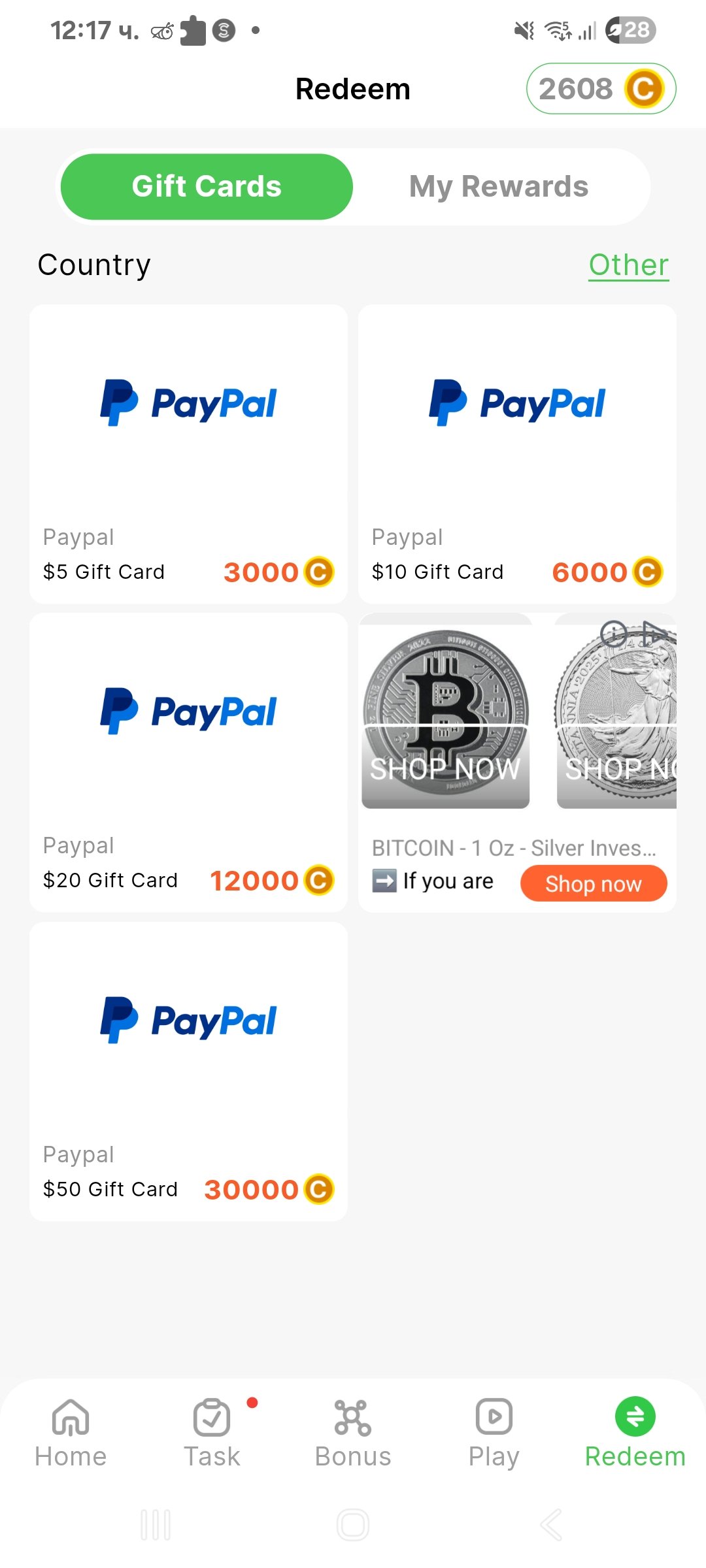
WalkTask offers Amazon Gift Cards and PayPal withdrawals with straightforward conversion rates:
🎁 3,000 coins = $5
💵 6,000 coins = $10
💰 12,000 coins = $20
🏆 30,000 coins = $50
Payouts are fast and reliable, and once you hit the minimum threshold, you can cash out anytime.
Screenshots
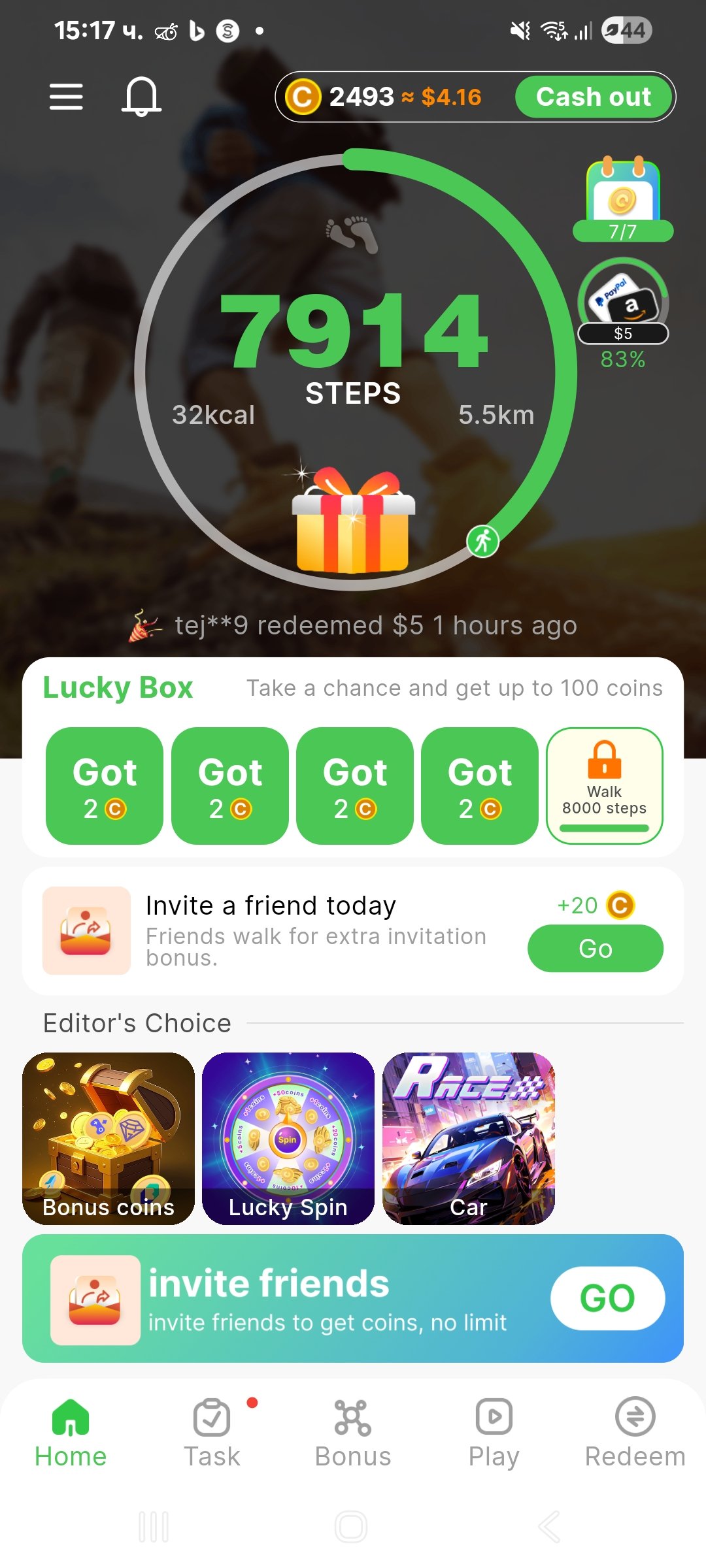
Main Dashboard – Overview of the app interface.
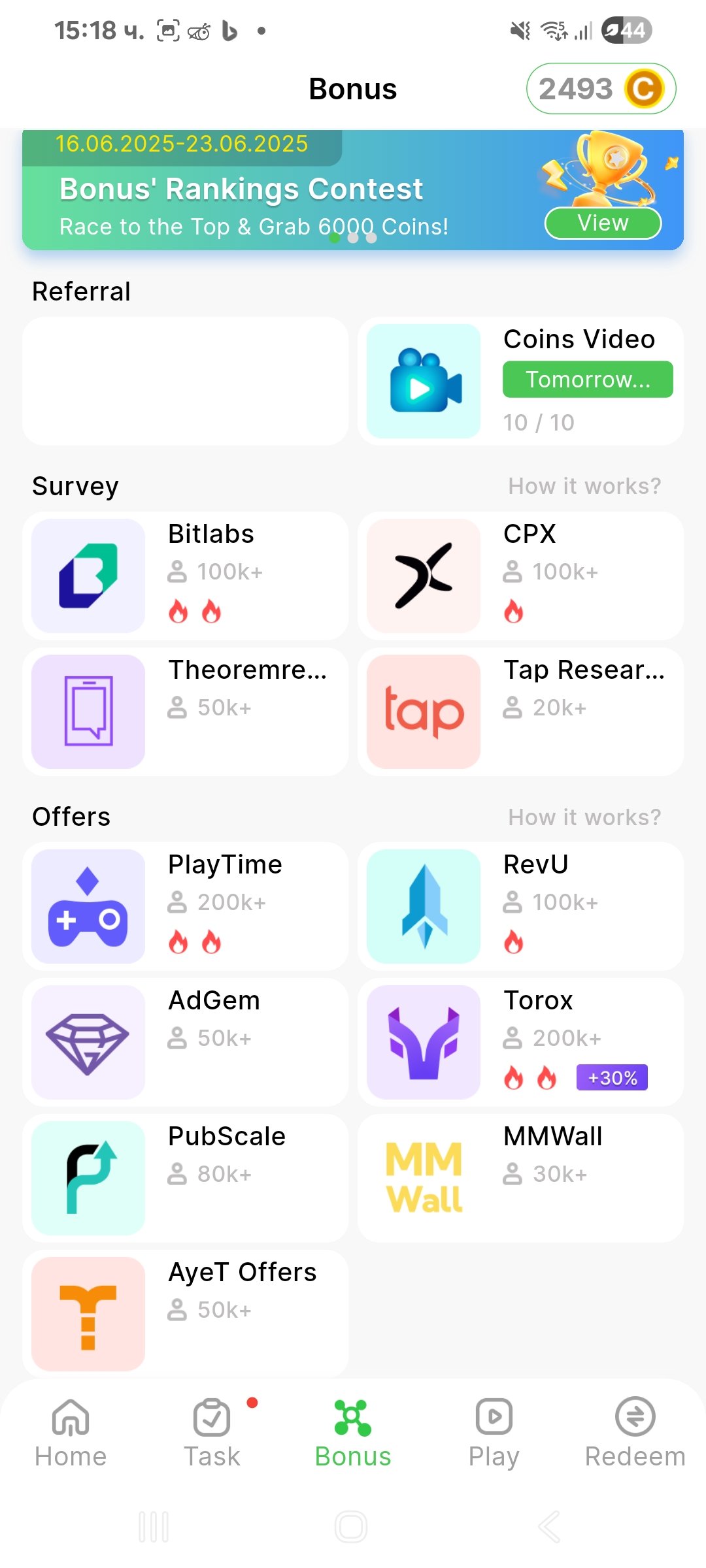
Bonus Section – Options for videos, games, and surveys.
Rewards Section – Where to redeem your coins.
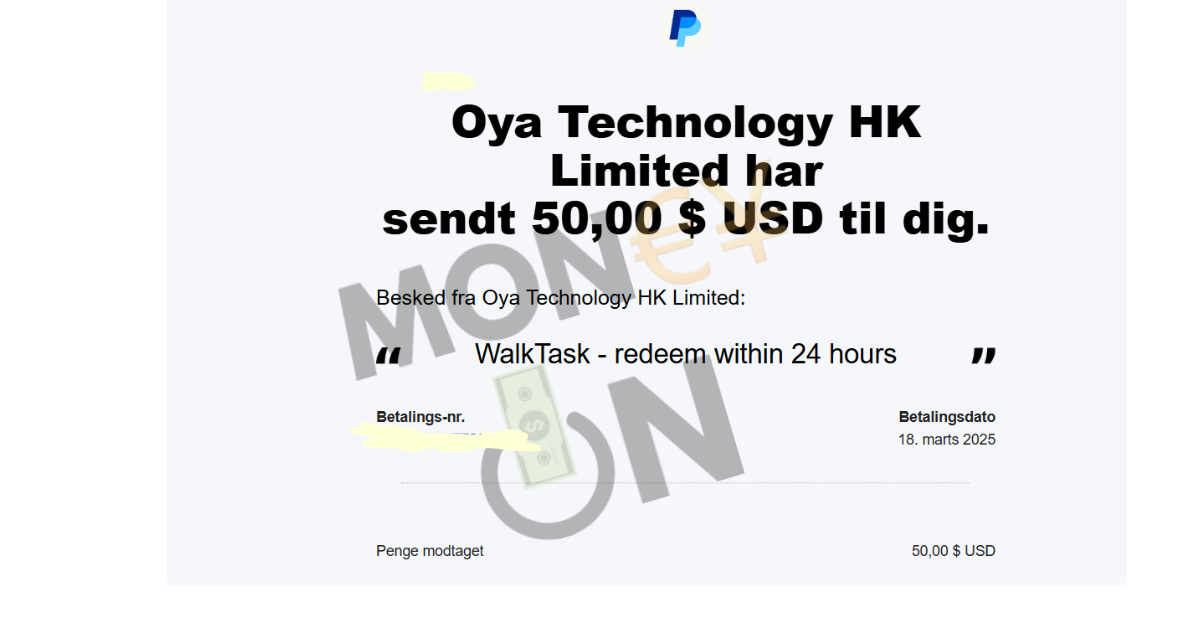
Payout Proof – Evidence of a recent payout.
✅ Pros
-
Legit and paying app (tested) 💯
-
Earn passively just by walking 🚶♂️
-
Multiple earning options: videos, games, surveys 🎮
-
Low minimum withdrawal ($5) 💸
-
Clean and user-friendly interface 📱
❌ Cons
-
-
Limited earning potential — don’t expect full-time income 💰
-
Some activities are region-restricted 🌍
-
Ads appear occasionally during activities 📺
-
Final Verdict + FAQs (WalkTask Review)
WalkTask can be a decent option if you want a walking app that adds a little extra motivation and gives small rewards over time—especially if you’re already walking daily. The best way to use it is to treat step rewards as the baseline and use bonuses/tasks/challenges to speed up earnings, since walking-only rewards are usually slow.
The downside is that payout speed, minimum cashout requirements, and reward availability can vary, and many users end up spending significant time watching ads or completing repetitive tasks just to reach a redemption threshold. If you’re expecting meaningful income, WalkTask likely isn’t worth it. If you want “bonus rewards for steps you’re already taking,” this WalkTask Review conclusion is: it may be worth trying, as long as you check the rewards section first and keep your expectations realistic.
FAQs
Is WalkTask legit or a scam?
WalkTask is best thought of as a rewards app, not a job. Whether it feels “legit” depends on whether users can redeem successfully in their region. The safest approach is to test it by earning to the minimum cashout and completing one small redemption before investing a lot of time.
How much can you earn with WalkTask?
For most people, earnings are modest. Step-only rewards usually accumulate slowly, while bonuses, tasks, and challenges can increase your total—but they require more time and engagement.
What rewards does WalkTask offer?
WalkTask typically offers a mix of cash-style withdrawals and/or gift cards, but the exact options depend on your country. Check the in-app Rewards/Cashout page to confirm what’s available for you.
What is the minimum cashout on WalkTask?
Minimum cashout varies by reward type and may change over time. You’ll see the current minimum inside the app when you go to redeem.
How long do WalkTask payouts take?
Some rewards may be delivered quickly, while others can take longer due to processing and verification. First-time redemptions often take the longest.
Why aren’t my steps counting in WalkTask?
Step tracking issues are usually caused by missing permissions or battery optimization settings. Make sure WalkTask has permission to access activity/fitness data and is allowed to run in the background.
Can WalkTask ban you for cheating?
Most step-reward apps have anti-fraud systems. Using GPS spoofing, step generators, emulators, or VPNs (if not allowed) can trigger account flags and prevent cashouts.
Get Started with WalkTask
Join WalkTask today!
Download the app using my affiliate link and enter my referral code DHAF3E to earn 30–360 bonus coins right after registration.